Some Quality of Life Upgrades
Joshua Maglione


What's worth learning?
Personally, I think all of this is worth learning in the age of AI.
I use agents and stochastic next-token predictors (SNTPs) often and I still benefit from what I know about these tools.
In fact, I think I would benefit less (e.g. I would have less agency) from agents and SNTPs if I didn't understand these tools well enough.
Specficially about LaTeX and git.
I don't think this is changing for me in the next five years.
But I don't see this opinion differing with others much either. Nevertheless your usage may vary.
My goals for you are...
2. You will have reasons why you might want to continue learning these tools
3. You will know enough to start playing and experimenting
4. Provide you with places to go to next for learing
1. You will know the basics about three quality of life tools:
- LaTeX
- git
- IDEs
Writing beautifully

Are you like me and feel anxious when you see this? (Bonus points for trackpads!)
LaTeX
There's a greener pasture on the other side if you're willing to learn!
The TeX is pronounced "tekh" or approximately "tech" and La as "lah" or "lay".
What is LaTeX
Concisely: LaTeX is a typesetting system.
Use code or macros format text.
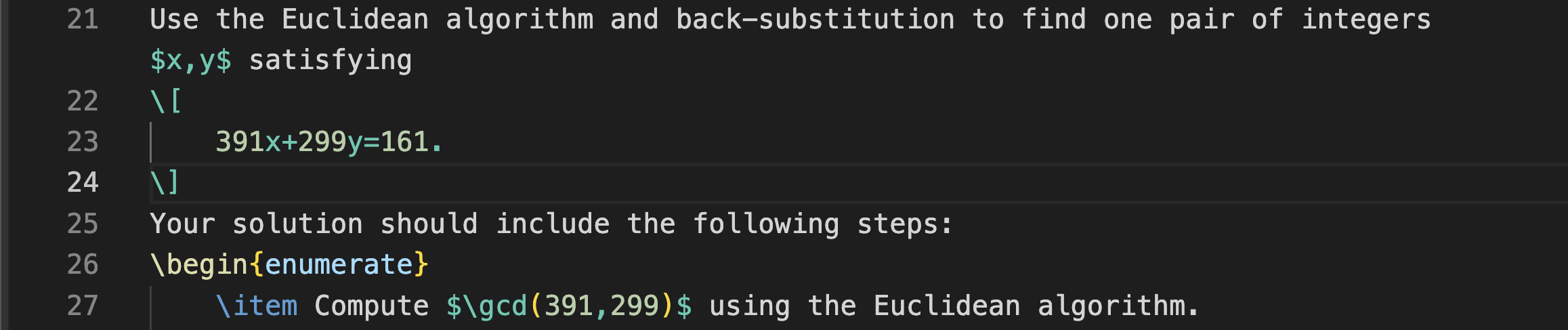
To compare: Microsoft Word is a word processing program.
Described as What You See Is What You Get (WYSIWYG).
At first, LaTeX is hard to use, but it is so flexible and eventually faster!

So how do one use it?
Install on your machine:
Linux
MacOS
Windows
Don't want to install? Can use in cloud: Overleaf
pdflatex


Write tex file
Get beautiful pdf
Auxiliary files
"compiling"
My LectureNotes directory, where I have my tex file, looks like this:
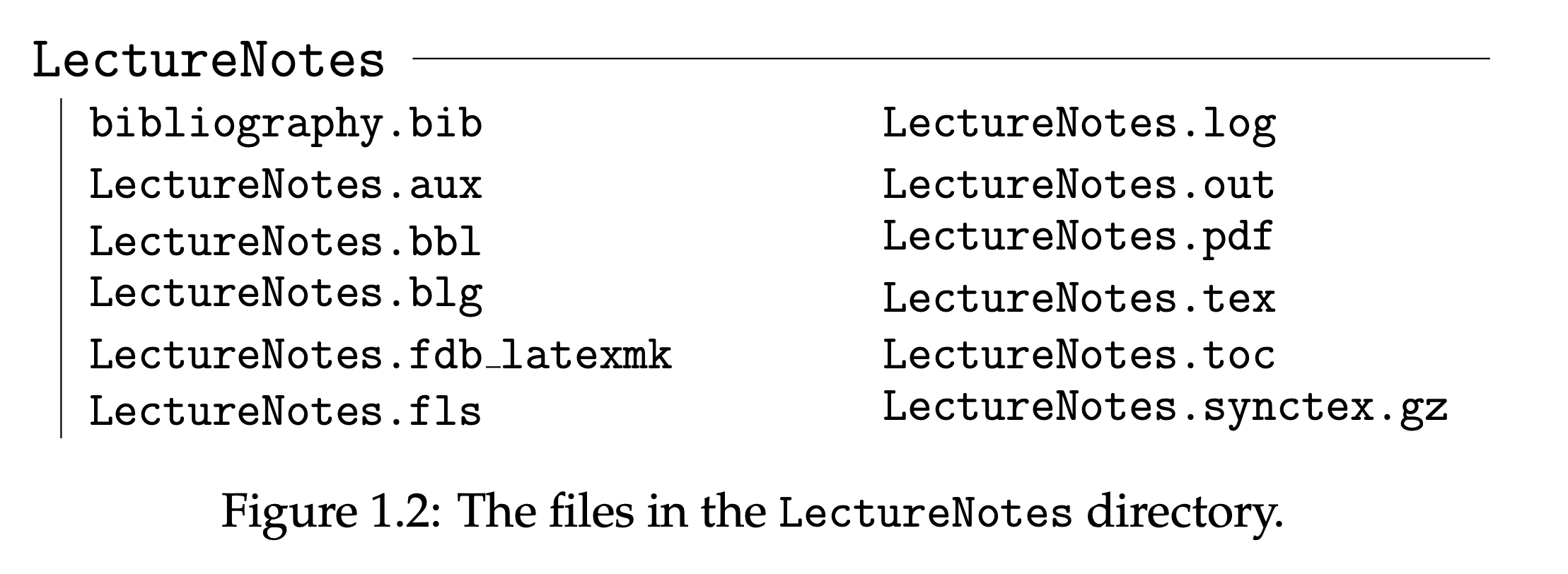
The auxiliary files serve different purposes but all help to keep it dynamic.
I don't have time for bibliographies today, but check out BibTeX for more info!
Referencing
Listing
Citations
Equations
See also DOI to BibTeX (amazing!)
What does a tex file look like?
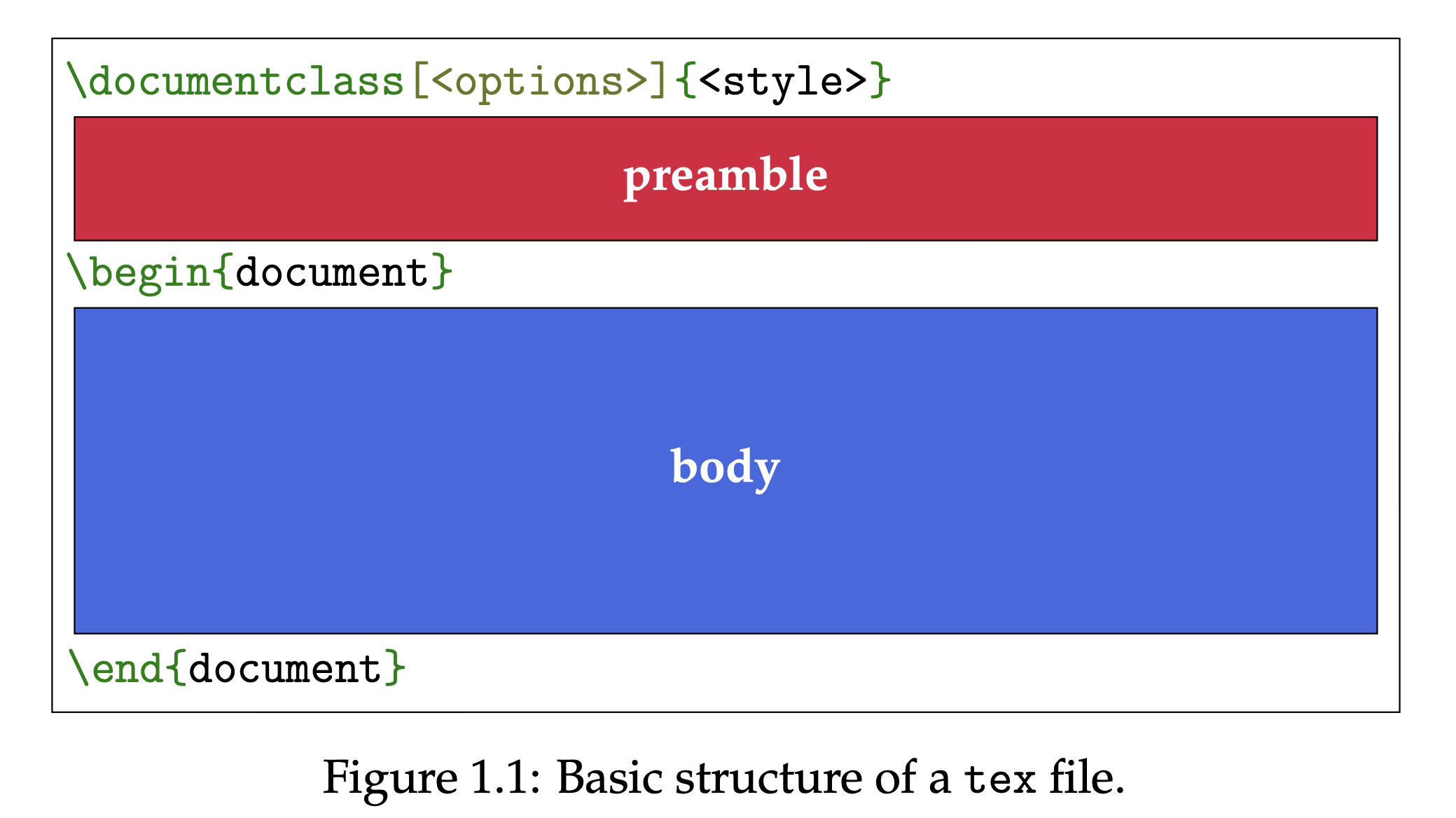
A few necessary ingredients which partition the file into two:
Preamble is entirely hidden---it is like the file's settings.
Body is what will be displayed and formatted in the pdf.
\(\texttt{documentclass}\) tells LaTeX the overall structure of the document. Examples:
\(\texttt{article}\) : meant for article but good generic
\(\texttt{book}\) : generic book
\(\texttt{report}\) : generic report
\(\texttt{standalone}\) : niche but useful for graphics
One class built primarily for physics:
\(\texttt{revtex4-2}\) : built by the American Physical Society for journals like Physical Review
Journals and publishers usually have their own dedicated class.
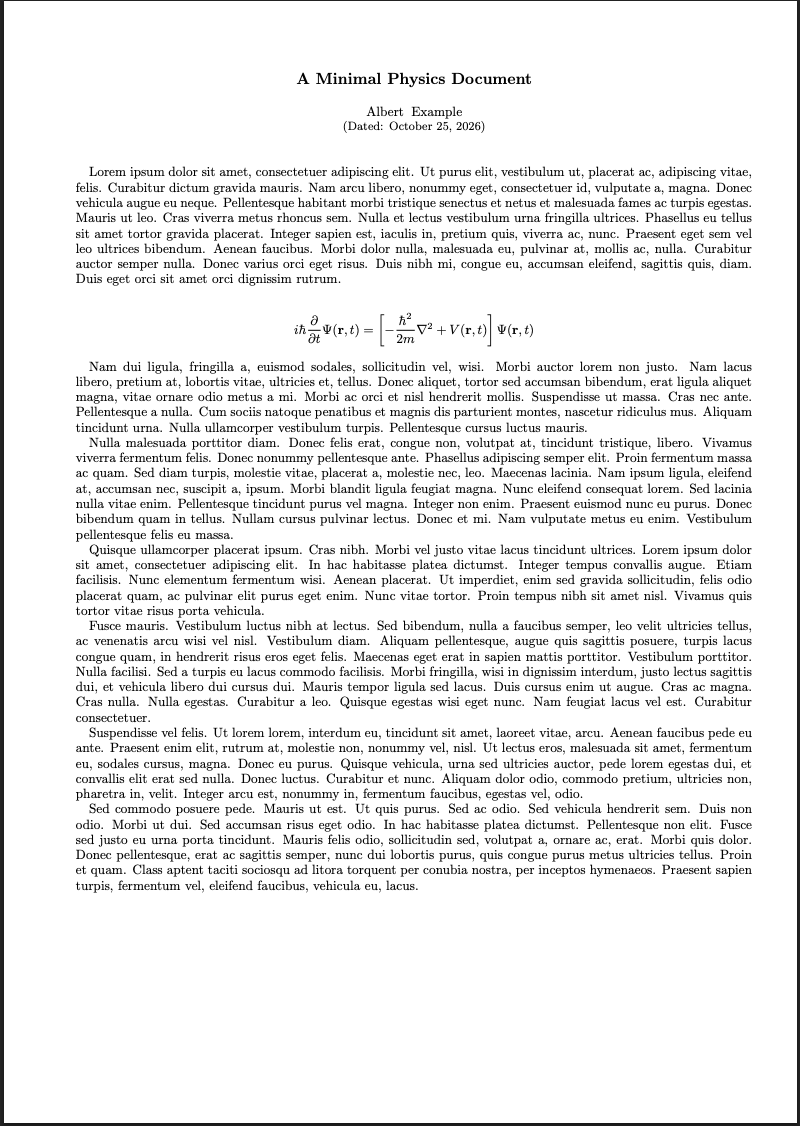
Let's look at some examples!
\documentclass{article}
\usepackage{amsmath}	% For additional mathematics symbols
\usepackage{lipsum}		% For filler text

\title{A Minimal Physics Document}
\author{Albert Example}
\date{\today}

\begin{document}

\maketitle

\lipsum[1]				% Filler text

\[
  i\hbar \frac{\partial}{\partial t}\Psi(\mathbf{r},t)
  = \left[
  	-\frac{\hbar^2}{2m}\nabla^2 + V(\mathbf{r},t)
  \right]\Psi(\mathbf{r},t)
\]

\lipsum[2-7]			% Filler text

\end{document}
preamble
body
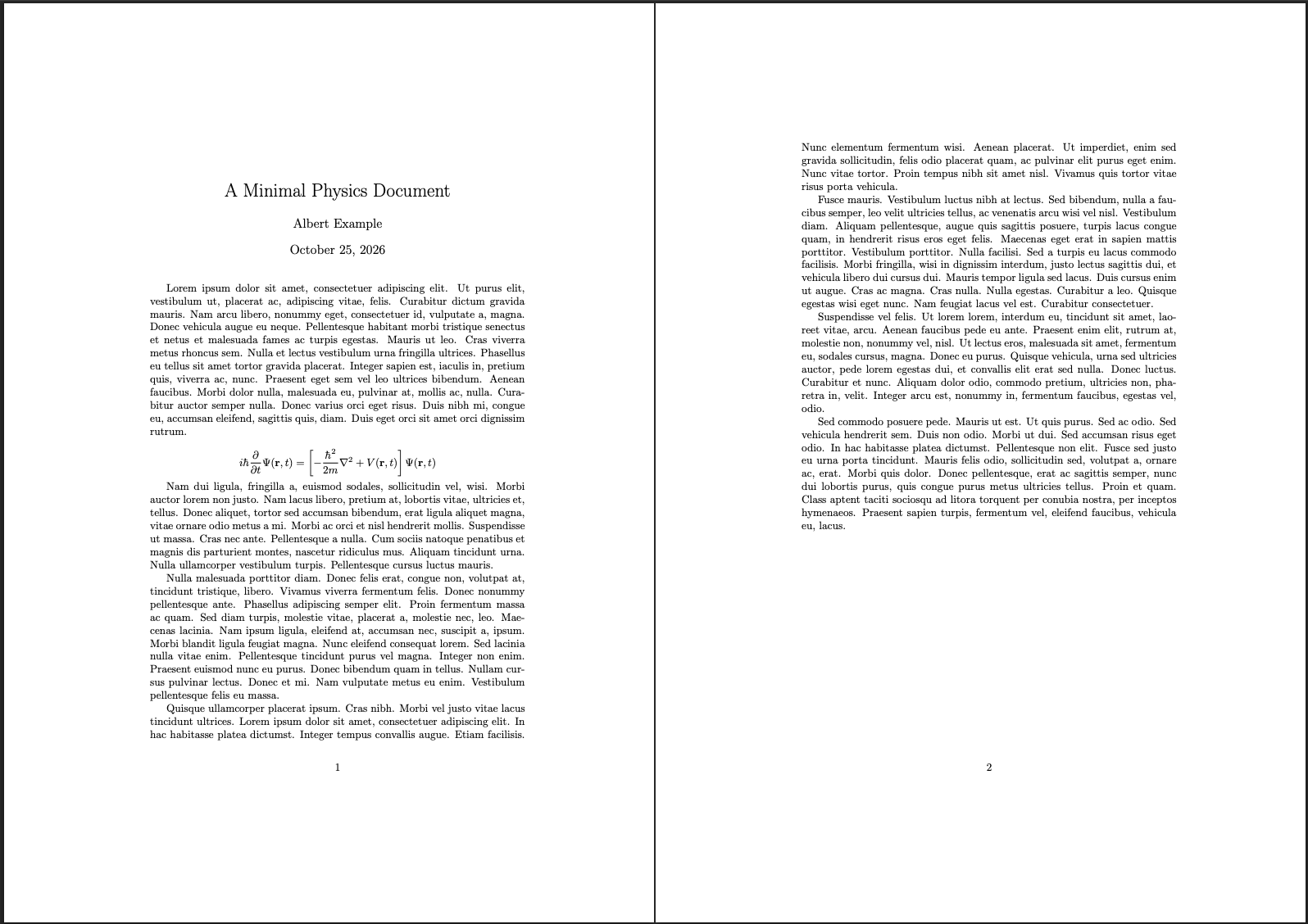
\(\texttt{article}\)
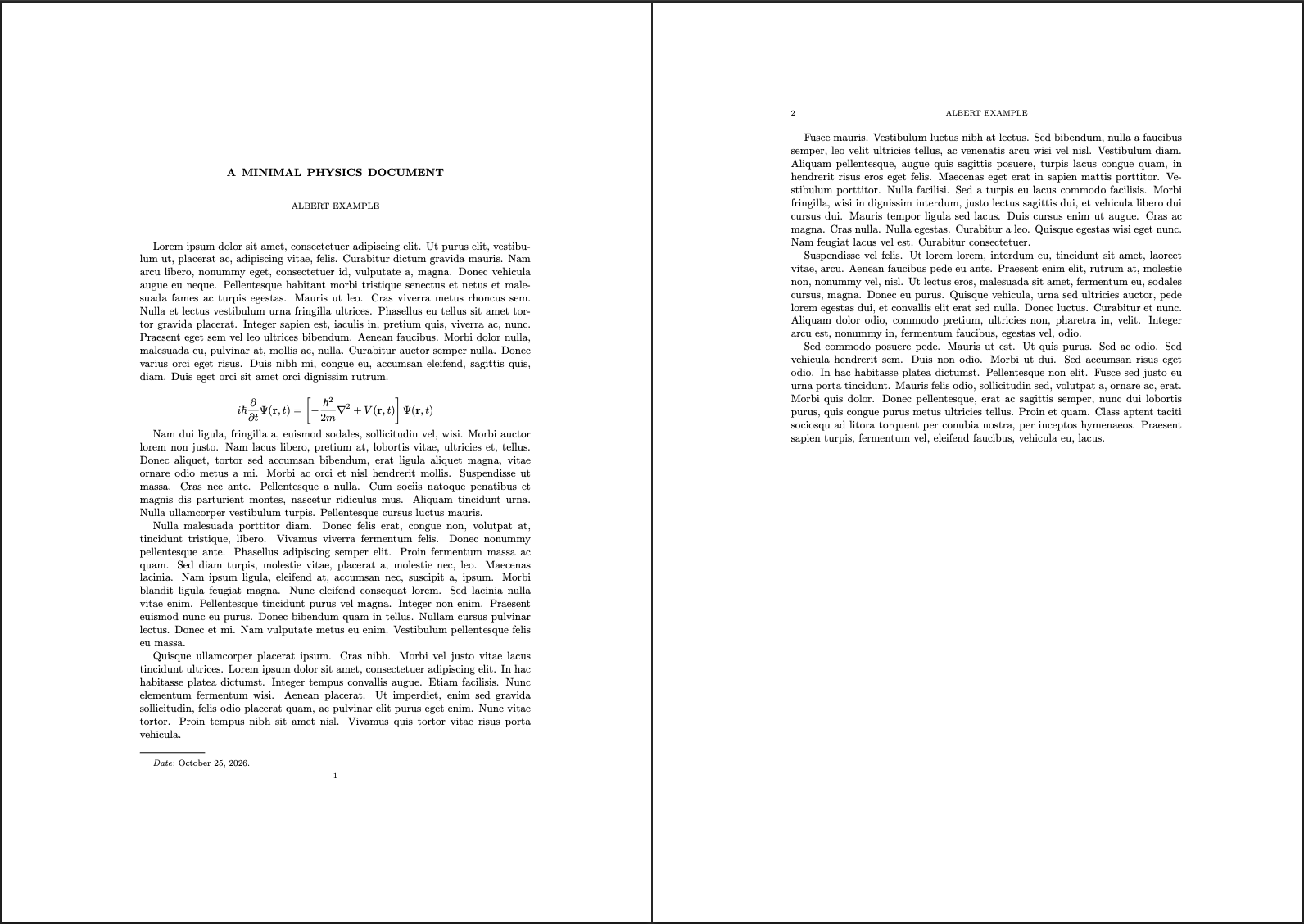
\(\texttt{amsart}\)
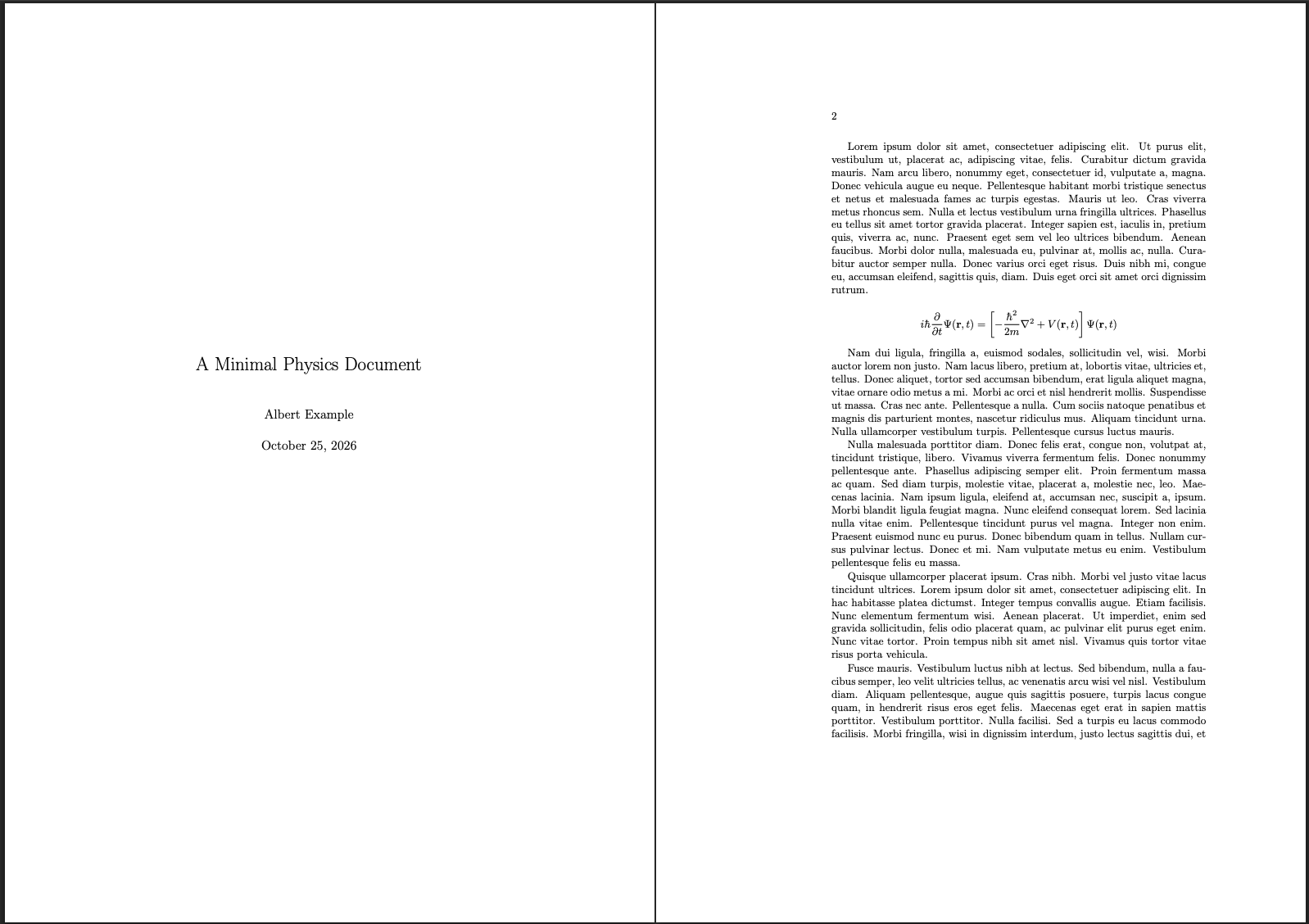
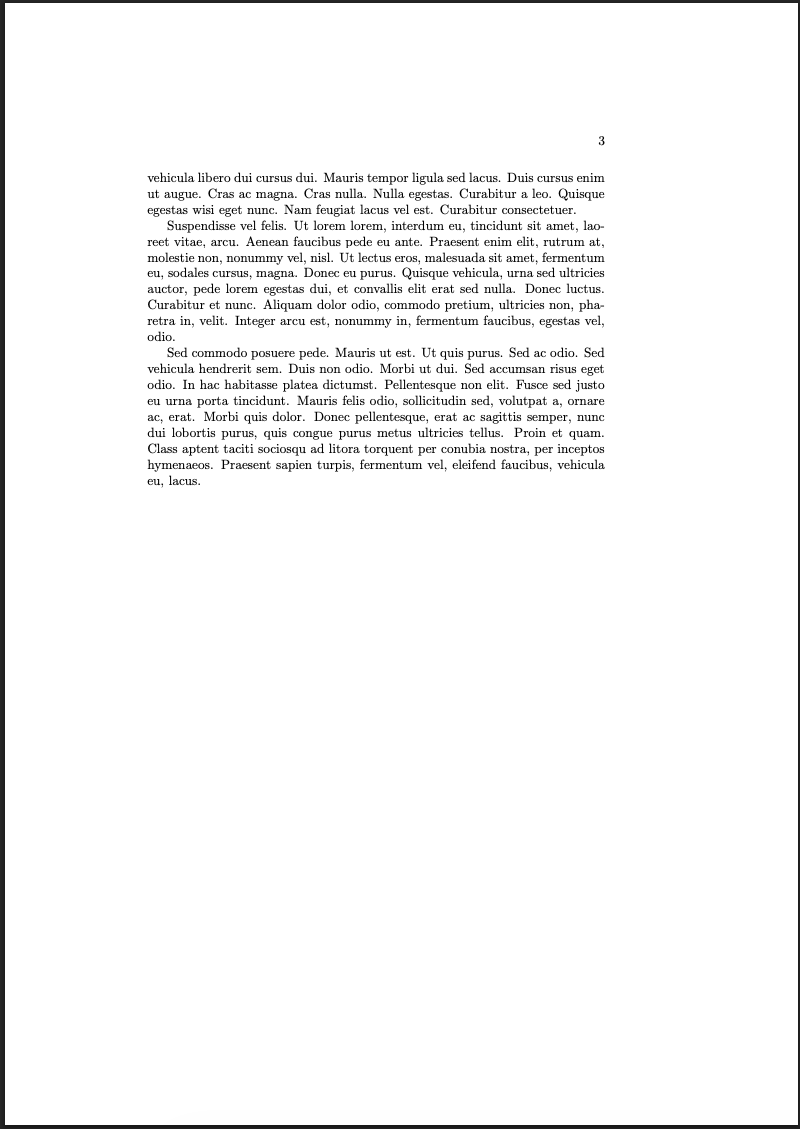
\(\texttt{book}\)
\(\texttt{revtex4-2}\)
Let's talk preamble
The \(\texttt{documentclass}\) locks you into an overall structure---this and many things can be edited
My lecture notes on Software for Mathematical Scientists and Educators covers LaTeX and is open source. This could be a good jumping-off point.
Macros
If I am taking the partial many times, instead of typing
\dfrac{\partial}{\partial t}I can create a macro. For example:
\newcommand[1]{\pderiv}{\dfrac{\partial}{\partial #1}}\pderiv{t}, \pderiv{x}, \pderiv{s}Packages
So much to say on packages! They extend functionality, but I don't have time.
Never lose files
Get Git
Git is an open-source program for version control.
It is not unique, but it is an industry standard for many "industries".
GitHub is different. We'll get to that soon.
To use git, open a terminal (or a GUI) and get to your directory of choice. Run
git initYou will now have a subdirectory called \(\texttt{.git/}\) .
How does git work?
You take snapshots---commits---of your directory, now called the repository or repo.
Git creates a history of the repo from the commits, and one can "time travel".
C1
C2
C3
One can branch and work isolated and "in parallel"
C2
C4
D1
C1
C2
C3
D1
C2
C4
If one wants to merge changes back to original branch, there might be some work to do.
- Called merge conflicts, but there's no real conflict.
- Happens when multiple lines receive conflicting edits
- Thus merge conflict = one needs to make a decision about what edits to keep.
C5
So what about GitHub?
Instead of using git locally only (like before), create a new repo on one of these platforms.
Almost all of my projects, both research and teaching related, are hosted on GitHub:
They host the data/files, and you can clone any repo you have access to.
Therefore, instead of working on one machine, one can work on any machine.